

A visually interesting video isn't necessarily a well-designed video.
The difference frequently comes down to how information is presented.
A moving background might peer impressive. A carefully animated diagram can explain a concept much more effectively. A clear title animation can establish the tone of a video, while a well-timed visual transition can help viewers understand how one concept connects to another.
This is why Motion Graphics remain a key part of digital storytelling.
The challenge is that creating them can be technically demanding.
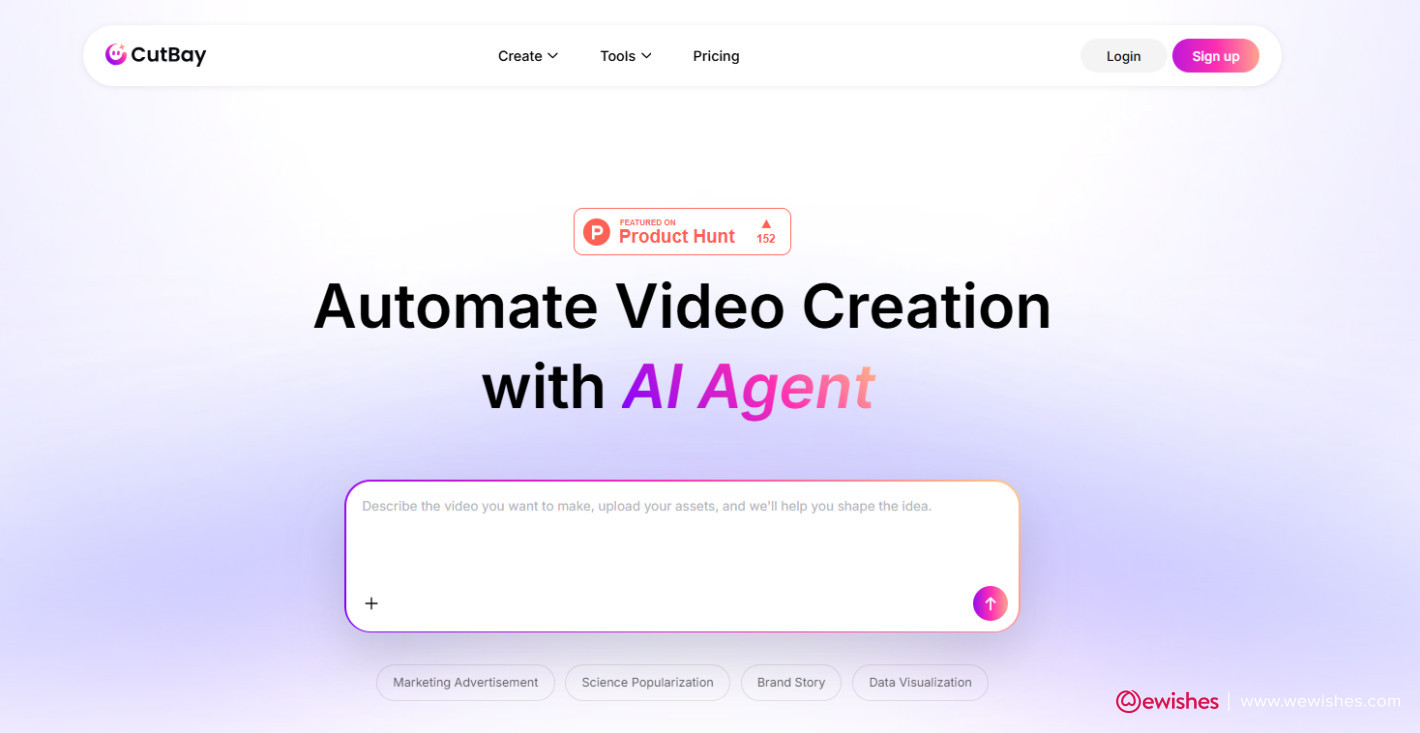
CutBay is an AI video creation platform that approaches this problem through conversational interaction, combining an AI Video Agent workflow with Motion Graphics capabilities.
Visual Storytelling Is About Communication
Design is regularly misunderstood as making things peer attractive.
In video, exemplary visual design also involves hierarchy, timing, rhythm. Clarity.
Consider a video introducing a new software feature. The audience needs to understand what the feature does, why it matters, and how it fits into the overall product.
A collection of unrelated clips won't necessarily communicate that information effectively.
The video needs structure.
Visual elements should support the note than compete with it. Text needs to appear at the right moment. Diagrams should make relationships easier to understand. Movement should guide attention.
These are the principles that make Motion Graphics useful beyond decoration.
Read also: Java Full Stack Developer Roadmap: What to Learn and in What Order
The Technical Barrier Behind Animation
Professional animation software provides considerable flexibility, but that flexibility comes with complexity.
Designers often work with layers, keyframes, masks, transitions, timing curves. Multiple visual properties.
For experienced motion designers, these tools provide creative freedom.
For someone who wants to make an animated product explanation, however, the learning process can be a major obstacle.
This creates a fascinating opportunity for conversational creative software.
What if users could describe the visual effect they wanted instead of having to translate every notion into a sequence of technical operations?
CutBay's Conversational Approach
CutBay places conversational Motion Graphics within a wider AI Video Agent workflow.
Users can provide ideas, presentations, documents, images, videos, webpages. Other materials as the basis for a project.
The platform is designed to succor organize these inputs into scenes and visual layouts.
Its conversational approach also allows users to describe dynamic visual effects through natural-language instructions.
For example, a creator may want to emphasize a product feature using animated text, introduce a concept through a moving visual sequence, or make a presentation more dynamic with additional visual elements.
Instead of approaching every modify as a traditional animation task, users can communicate their creative intentions through conversation.
This doesn't make design decisions disappear. It changes how users can interact with the production process.
Why the Canvas Still Matters
There's a common misconception that AI creative software should automate everything.
Read also: What is the Importance of Effective Communication Skills in an Individual's life?
In practice, visual communication is rarely that clear.
A designer may want to adjust the position of an element, change the visual balance of a scene, or refine the relationship between text and imagery.
CutBay combines conversational editing with flexible canvas editing.
This combination is important since natural-language interaction and visual manipulation serve distinct purposes.
Conversation offers a way to express intentions. A canvas offers a more direct visual environment for refinement.
For creative users, having both approaches can be more useful than being restricted to a single method.
Where Could This Be Useful?
The combination of AI-assisted video creation and Motion Graphics has applications across multiple areas.
Brand storytelling
Brands can use dynamic typography and visual elements to present their identity and communicate their note.
Product demonstrations
Animated callouts and visual explanations can help introduce product features.
Educational explainers
Diagrams, labels. Animated sequences can help explain difficult concepts.
Read also: Understanding the 5Ps of Operations Management
Presentation design
Static information can be developed into more engaging video-based presentations.
Social media content
Creators can experiment with dynamic visual storytelling than relying exclusively on conventional footage.
A Varied Kind of Creative Tool
CutBay isn't positioned as another application for applying effects to existing footage.
Its AI Video Agent concept begins with the broader task of turning information and ideas into video projects.
This makes its Motion Graphics capabilities part of a larger creative workflow.
For designers, this is an engaging distinction. It suggests a workflow in which AI can assist with both the organization of content and the development of dynamic visual elements.
Of course, the final result still needs to make sense visually. Animation should have a purpose, and the quality of a design depends on more than the presence of movement.
Final Thoughts
The future of Motion Graphics may involve more accessible ways for people to translate visual ideas into actual content.
Traditional animation tools will continue to serve professionals who need detailed control. Conversational AI introduces another way for non-specialists to participate in motion design.
CutBay explores this direction by combining an AI Video Agent with conversational Motion Graphics and canvas-based editing.
For people interested in visual storytelling, animation. More accessible video production, it's worth taking a closer peek.











Comments
No comments yet — be the first to share your thoughts.