

Page Contents
I did not approach this test as someone looking for a toy. I approached it the way many American creators probably search today: tired of stock music, short on production time, and curious whether an AI Music Generator can turn a loose idea into something usable without making the process feel fake. That matters because most people are not asking for “perfect music” in the abstract. They are asking for a quicker bridge between a feeling in their head and a track they can actually test in a video, podcast intro, ad concept, or personal project.
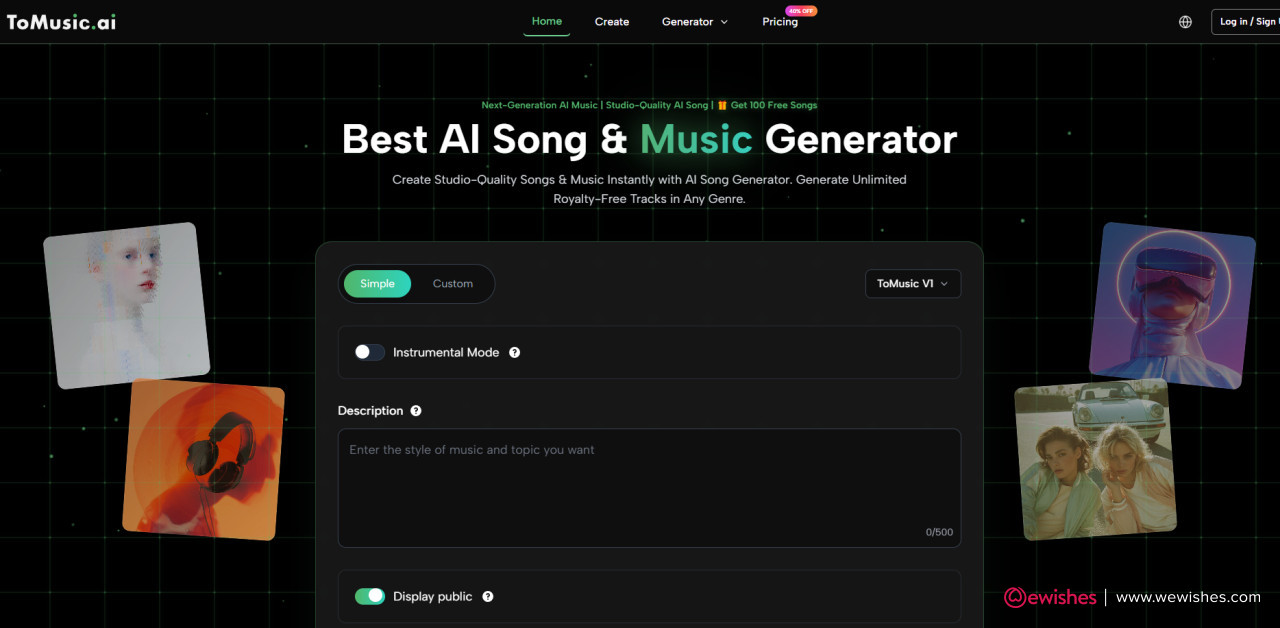
The pressure point is familiar. You know the scene you want. Maybe it is a night-drive montage, a calm productivity reel, a small business promo, or a heartfelt short film. But finding the right track often becomes its own project. Stock libraries can feel repetitive. Hiring a composer is not always realistic. Editing royalty-free loops can take longer than expected. In that gap, ToMusic AI becomes interesting because it does not ask you to start with music theory. It lets you start with language.
What I wanted to know was simple: does the platform feel useful when tested like a real creator would use it? Not as a demo, not as a headline, but as a practical tool. I paid attention to the public workflow, the difference between simple and custom creation, the way prompts shape the result, and whether the platform feels honest enough to belong in a serious creative workflow.
Why This Test Starts With Creative Intent
Before judging the output, I had to judge the starting point. Music tools can look powerful while still making the user feel lost. ToMusic AI feels more approachable because its public workflow begins with intention: describe the song, provide lyrics if needed, choose a mode, and let the system generate a track from the information given.
That sounds simple, but the simplicity is important. Many creators in the United States search for music tools because they are already juggling editing, posting schedules, thumbnails, ad copy, client feedback, and platform rules. A music generator only becomes valuable if it reduces friction instead of adding another layer of production stress.
The Real Question Behind Music Generation
The real question is not whether AI can make sound. It obviously can. The more useful question is whether it can understand enough creative direction to help someone move forward. During my review, ToMusic AI felt strongest when the prompt contained a clear mood, use case, and stylistic direction.
For example, a vague prompt like “make a happy song” is less useful than a prompt describing “an upbeat indie pop track for a small business launch video, with warm vocals, light drums, and an optimistic chorus.” The platform depends heavily on the clarity of the user’s instruction, which is not a weakness so much as a realistic creative boundary.
Where Language Becomes Production Direction
In practical use, the prompt becomes your temporary producer. You are not moving knobs on a studio console. You are shaping the result through words. Genre, mood, tempo, instruments, vocal direction, and song purpose all become part of the instruction.
That changes how the user thinks. Instead of asking, “Can I compose this from scratch?” the better question becomes, “Can I describe the track clearly enough for the system to understand the creative lane?”
How The Public Workflow Actually Feels
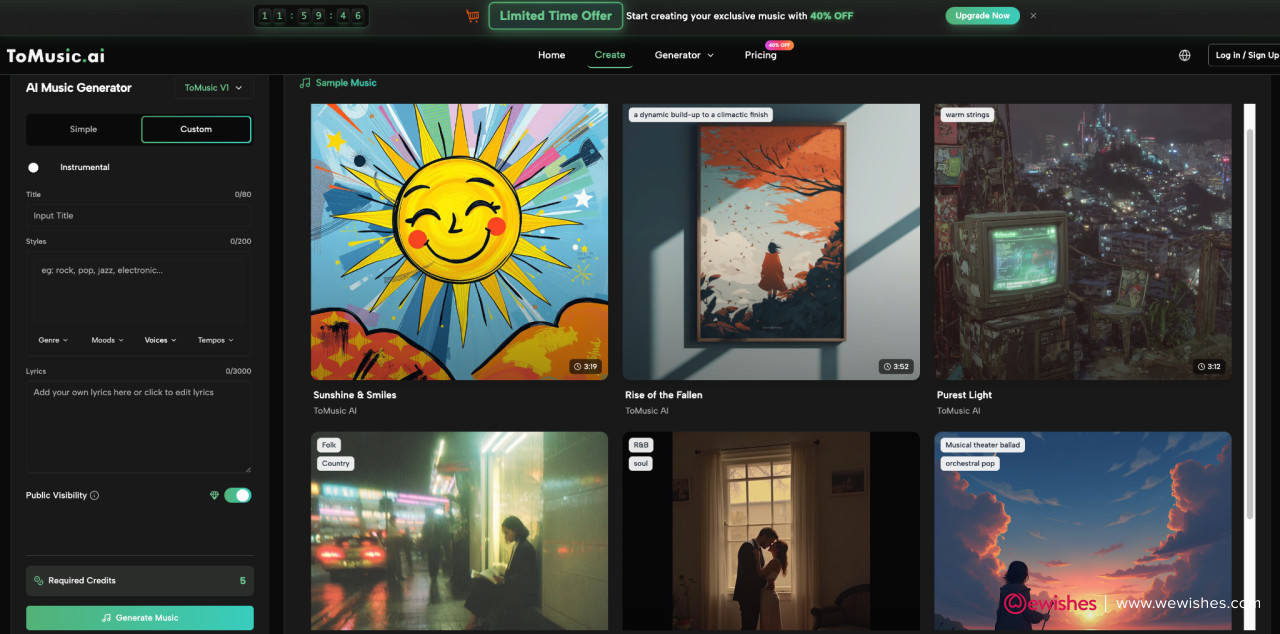
The ToMusic AI workflow is built around a direct sequence. The user chooses a creation mode, enters a text prompt or lyrics, specifies musical direction, generates the song, and then uses or downloads the result depending on account and plan options. This is not a complicated workflow, and that is part of its value.
In my test mindset, the platform felt most natural when I treated it as a creative drafting space. I did not expect the first result to be final. I treated the first generation like a first take: useful, imperfect, and often revealing.
Simple Mode Works Best For Fast Testing
Simple Mode appears designed for people who want the system to make more decisions. This is useful when the user has a mood but not a complete song structure. If you are making a quick social video, a presentation intro, a casual YouTube background track, or a concept demo, Simple Mode is probably the more comfortable place to start.
It gives you enough room to describe the idea without requiring detailed arrangement knowledge. That matters for non-musicians. Many creators know what they want emotionally, but they do not know how to express it in technical music terms.
Read also: Cyberbullying: Tips For Teens And Parents To Deal With It
Why Fast Creation Still Needs Clear Prompts
Fast does not mean careless. The better your prompt, the more direction the system has. In my observation, a prompt with scene, emotion, genre, and pacing gives the platform a stronger foundation than a short phrase.
A useful prompt might include the intended use, such as a podcast intro or travel vlog. It might include the emotional arc, such as calm at first and more energetic later. It might include whether vocals should feel polished, intimate, cinematic, or minimal.
Custom Mode Gives More Structural Control
Custom Mode is more interesting when the user already has lyrics or wants greater control over the song shape. The platform publicly supports custom lyrics and structure labels such as verse, chorus, bridge, intro, and outro. That makes the experience feel closer to songwriting, because the user can guide how the piece is organized instead of leaving everything to a general prompt.
This is where ToMusic AI feels more serious than a one-click novelty tool. It lets users bring in written material and turn it into music, which changes the role of the platform. It is not only generating ideas; it is interpreting user-provided creative material.
How Lyrics Change The Testing Experience
Lyrics create a different kind of test. With a basic prompt, you mainly judge mood and sound. With lyrics, you judge interpretation. Does the system respect the structure? Does the chorus feel like a chorus? Does the emotional tone match the words?
In my testing approach, this made Custom Mode feel better suited for songwriters, marketers, educators, and creators who already have message-driven material.
A Practical Comparison From My Testing
The table below reflects how I would explain the platform to a creator deciding whether to try it. It is not about claiming perfection. It is about understanding where the tool fits.
|
Testing Area |
What I Noticed |
Practical Meaning |
|
Prompt-based creation |
Clear prompts produced more useful direction |
The user’s writing strongly affects output quality |
|
Simple Mode |
Easier for fast drafts and broad ideas |
Good for social content and quick concepts |
|
Custom Mode |
Better for lyrics and structured songs |
Useful when the user has written material |
|
Style control |
Genre, mood, and tempo matter |
Specific creative language improves results |
|
Multi-model structure |
Different models suggest different creative priorities |
Users can test for vocal quality, length, or control |
|
Commercial potential |
Public pricing mentions commercial rights by plan |
Users should check plan details before publishing |
|
Limitations |
Some results may need regeneration |
The platform works best as an iterative tool |
Where ToMusic AI Feels Most Useful
The platform feels most useful when the user has a practical creative need rather than an abstract curiosity. I can imagine several American search behaviors leading someone to this type of tool: “make a song from lyrics,” “AI music for YouTube videos,” “generate background music,” “turn text into song,” or “royalty-free AI music generator.”
Those searches are not only about technology. They are about time, budget, and creative confidence. ToMusic AI becomes relevant because it lowers the entry barrier.
Creators Need Drafts Before They Need Perfection
In many real workflows, the hardest part is not polishing a final piece. It is getting the first usable draft. A video editor may need temporary music before cutting footage. A small business owner may need several ad concepts before choosing one. A songwriter may want to hear how lyrics feel in different genres.
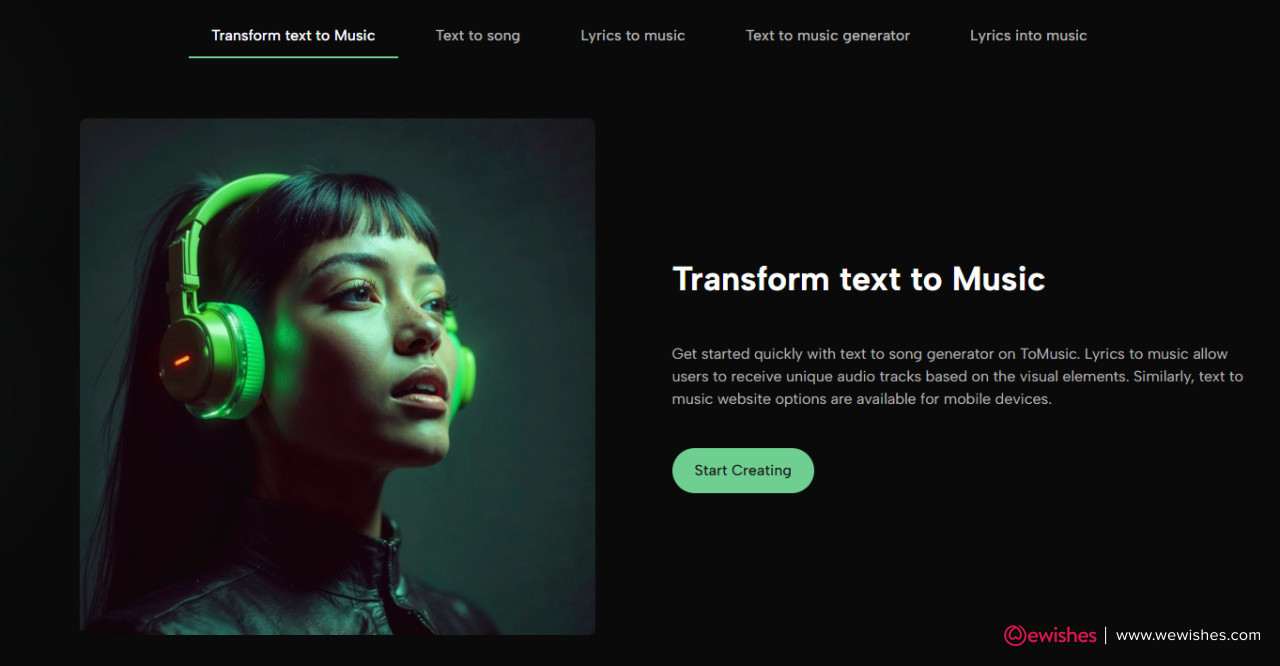
That is where Text to Music becomes more than a keyword. It describes a practical shift: the creator can move from written intention to audible direction without first building a full production setup.
Why Draft Speed Changes Creative Decisions
When drafts become easier to produce, users can compare ideas sooner. They can test whether a calm acoustic direction works better than an electronic one. They can see whether lyrics feel more natural as pop, folk, or cinematic ballad. They can evaluate tone before committing to a final direction.
This does not remove creative judgment. It increases the number of options the user can judge.
Read also: A Better Way to Revise Lyrics: Listen Before You Rewrite Everything
Small Teams May Benefit More Than Studios
Professional studios already have workflows, musicians, and production tools. The bigger impact may be for people who do not have those resources. Solo creators, educators, indie game developers, local businesses, and social media managers may find more immediate value.
For them, the point is not replacing an entire production team. The point is reducing the distance between idea and testable audio.
Where The Platform Fits In Real Work
A small business could test music directions for a product launch. A teacher could create simple educational songs. A podcast creator could experiment with intro moods. A short-form video editor could generate different background directions for different cuts.
These use cases are not glamorous, but they are realistic. And realistic usefulness is more persuasive than exaggerated promises.
The Limitations Made The Test More Believable
A good test should include what did not feel perfect. ToMusic AI depends on the user’s prompt quality, and that means vague instructions can lead to vague results. Some generations may feel close but not exact. A track may capture the mood while missing a specific arrangement detail. A lyric-based song may need prompt adjustments to better match the intended emotional arc.
That is not surprising. Music is subjective, and AI interpretation is still interpretation.
Prompt Sensitivity Is The Main Learning Curve
The most important skill is learning how to describe music clearly. Users who write better prompts will likely get better results. That creates a learning curve, but it is a manageable one.
Instead of typing only a genre, users should describe the listener experience. For example, “warm, reflective, mid-tempo indie folk for a graduation slideshow” gives more context than “folk song.”
Regeneration Should Be Expected Sometimes
I would not treat regeneration as failure. I would treat it as part of the workflow. Traditional music creation also involves revisions, alternate takes, and rejected drafts. The difference is that AI generation can make early exploration faster.
The best mindset is not “one prompt equals final song.” The better mindset is “one prompt begins the direction.”
Commercial Use Requires Plan Awareness
The platform publicly discusses commercial usage rights and plan-based options. That is useful, but users should still check the current plan details before using tracks in paid campaigns, client work, or monetized channels.
This is especially important for creators who operate professionally. The creative result may be exciting, but licensing clarity still matters.
Responsible Use Builds Long-Term Trust
A serious user should save prompts, track versions, check account options, and confirm commercial permissions before publishing. This may sound cautious, but it is exactly how a responsible creative workflow should behave.
Read also: Three Moodboard Rounds Beat Endless Image Prompting
AI music is easier to generate than traditional music, but easier does not mean careless.
How I Would Use It Again
If I were using ToMusic AI in a real project, I would not start by asking for a masterpiece. I would start by creating three different creative directions. One could be bright and commercial, one more cinematic, and one more intimate. Then I would compare which one actually fits the project.
That is the platform’s strongest role in my view: not replacing taste, but giving taste more material to evaluate.
A Four-Step Workflow That Feels Practical
The most reliable workflow I would recommend stays close to what the public site presents:
-
Choose Simple Mode for a quick idea or Custom Mode for lyrics.
-
Enter a clear prompt, lyrics, mood, style, and purpose.
-
Generate the track and listen for emotional fit.
-
Revise the prompt or download/use the result if it fits.
This process is simple enough for beginners but still flexible enough for more intentional creators.
Testing Different Styles Reveals Better Choices
The first idea is not always the best idea. A lyric might sound more natural as pop than rock. A product video might need less energy than expected. A podcast intro might work better with instrumental music than vocals.
By testing multiple directions, users can make better decisions before investing more time.
My Honest Take After Testing The Idea
ToMusic AI is most convincing when viewed as a creative accelerator. It is not magic, and it should not be described as a guaranteed replacement for human musicians, producers, or composers. But it does offer something valuable: a way to turn written creative direction into music quickly enough to support real decision-making.
For American creators who search with practical urgency, that may be the point. They are not always looking for a perfect studio pipeline. They are looking for a way to stop being stuck. They want to hear the idea, test it, revise it, and move forward.
The Best Use Case Is Guided Experimentation
The platform works best when the user brings intention. A strong prompt, a clear use case, and a willingness to revise can make the experience feel much more useful than casual one-click generation.
That is why I would describe ToMusic AI as a tool for guided experimentation rather than instant perfection.
Why The Potential Feels Realistic
The potential feels realistic because the workflow matches how many creators already think. They begin with words. They describe a mood. They explain a scene. They imagine a listener. ToMusic AI turns that language into something audible.
That does not remove the need for judgment. It simply gives the creator a faster way to begin.








Comments
No comments yet — be the first to share your thoughts.